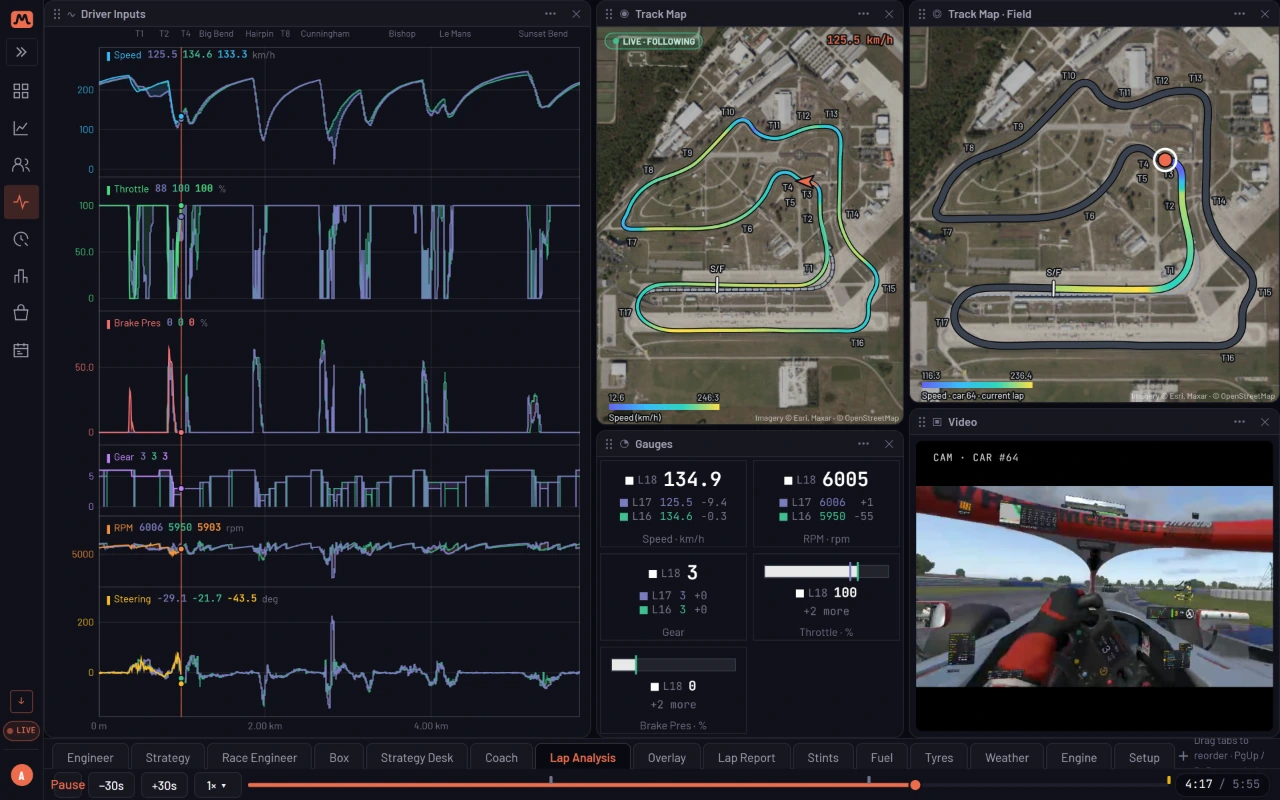
A drying track is where races are won and lost from the pit wall. Box a lap too early and the slicks have nothing to bite on. Box a lap too late and the cars that already changed are gone. Muretto puts the weather in front of the whole crew, and turns it into a call.
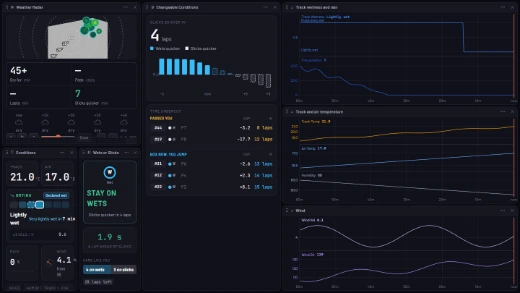
Practice, qualifying and the race each get a Weather tab on the live wall, and most of what follows sits on it. The picture above is that tab on a drying track.
Weather Radar: the rain to come
The radar at the top left is iRacing's own rain radar. The Telemetry Agent reads it off iRacing's Weather widget while you race, so show the widget, on your monitor or in VR, and the radar fills in. A team-mate or spotter in the same race can show it for you.
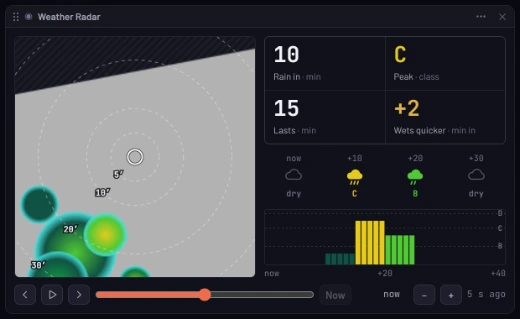
- The map: the rain around the circuit, with rings for how many minutes it is from the track.
- Four numbers: when rain reaches the track, how heavy it gets (class A to E), how long it lasts, and when wets become quicker. While it rains: when it stops, and when slicks are quicker again.
- The next hour: the sky every 10 minutes, and the rain over the track minute by minute.
Step back through the last hour, or play the next one forward, from the bar under the map.
Conditions: what the track is doing now
Conditions, under the radar, answers "how wet is it, and which way is it going?"
- Track and air temperature, in large type.
- A seven-step wetness meter, from dry to extremely wet. It says whether the track is drying, getting wetter or holding, and when the next step arrives, for example very lightly wet in 7 min, or in laps once it knows your lap time.
- Rain, as a percentage, and whether it's getting heavier or lighter.
- Wind, its speed and where it's coming from.
Wets or Slicks: the call
Wets or Slicks turns the conditions into one verdict: box or stay out.
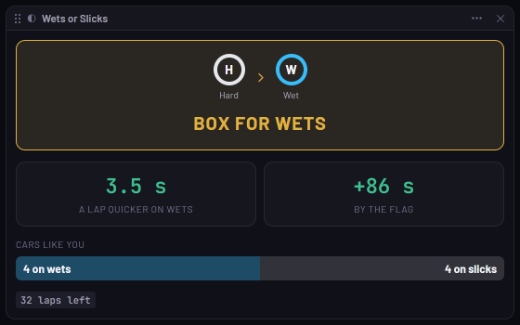
Read it from the top down:
- The verdict. The tyre you're on, the tyre to change to, and the call, here Box for wets. When it says stay out, it says why, for example Slicks quicker in 4 laps or Stop doesn't pay back.
- What it's worth. The time a lap on the other tyre, and the total by the flag after the stop.
- Cars like you. How many cars on your pace are on each tyre right now. If the field has already changed and you haven't, you'll see it here.
Changeable Conditions: how long until it flips
Wets or Slicks tells you what to do now. Changeable Conditions tells you how long that stays true.
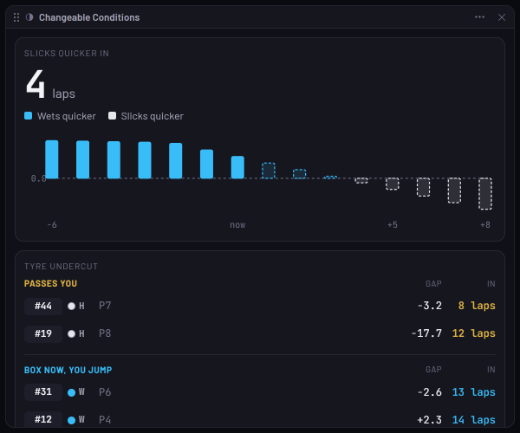
- The big number is how many laps until the other tyre is quicker.
- The bars show the gap between wets and slicks, lap by lap, six laps back and eight ahead. Blue bars mean wets are quicker, white bars mean slicks are quicker. When the bars cross zero, the tyre has flipped.
- Tyre undercut, in a race, lists who a tyre change affects. Passes you lists the cars on the other tyre that will catch you, and in how many laps. Box now, you jump lists the cars you pass if you stop this lap.
The weather, afterwards
Three charts on the tab keep the last hour: Track wetness and rain, Track and air temperature (with humidity), and Wind. You see the trend, not just the moment.
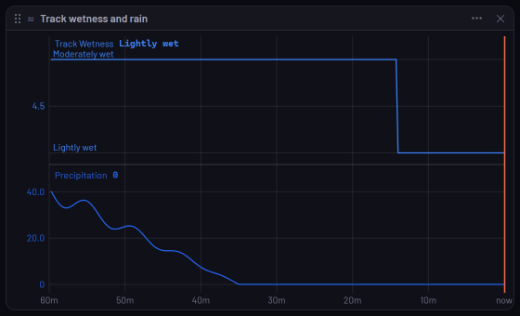
In Analysis, two Lap Trend displays put the conditions beside each lap: Track and Air Temperature, and Track Wetness and Rain. So a slow lap in the debrief comes with the conditions it was driven in.
Which sims
All of it works in iRacing, and the radar is iRacing's alone. Le Mans Ultimate and rFactor 2 report temperatures, wetness and rain, so Conditions, the charts and the gap between wets and slicks fill in. The call itself needs the tyre you're on, which they don't report. Assetto Corsa reports temperatures and wind, and Assetto Corsa Competizione temperatures.
None of it needs a paid plan.
Add it to your wall
The Weather tab comes on its own in practice, qualifying and the race. Closed it? Bring it back from Templates. To put a weather panel on another tab of the live wall, open Add Display and pick Weather Radar, Conditions, Wets or Slicks, Changeable Conditions, or one of the charts: Track and Air Temperature, Track Wetness and Rain, and Wind.